
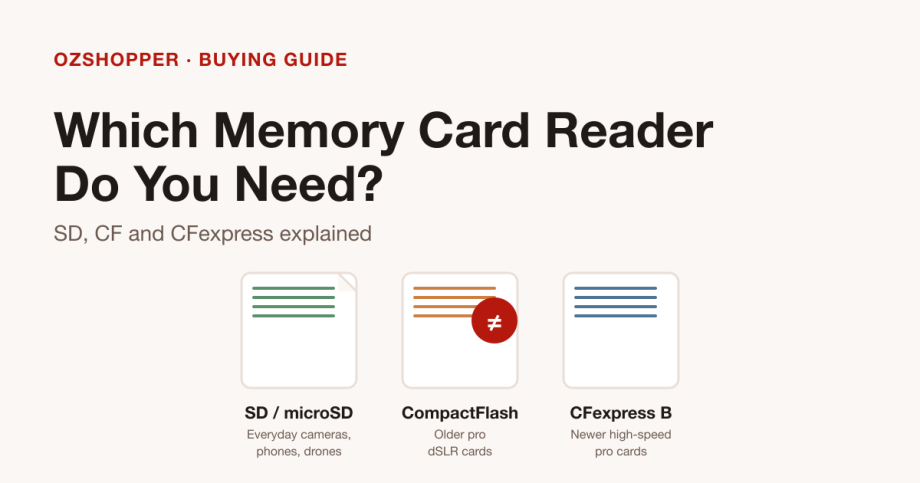
Before you compare readers, identify the card you actually shoot on. The right reader is the one that matches your card’s format, fits your computer’s ports, and does not promise more speed than your card can deliver. And one thing is worth knowing up front: CF and CFexpress are different formats, so a reader built for one will not fit the other.
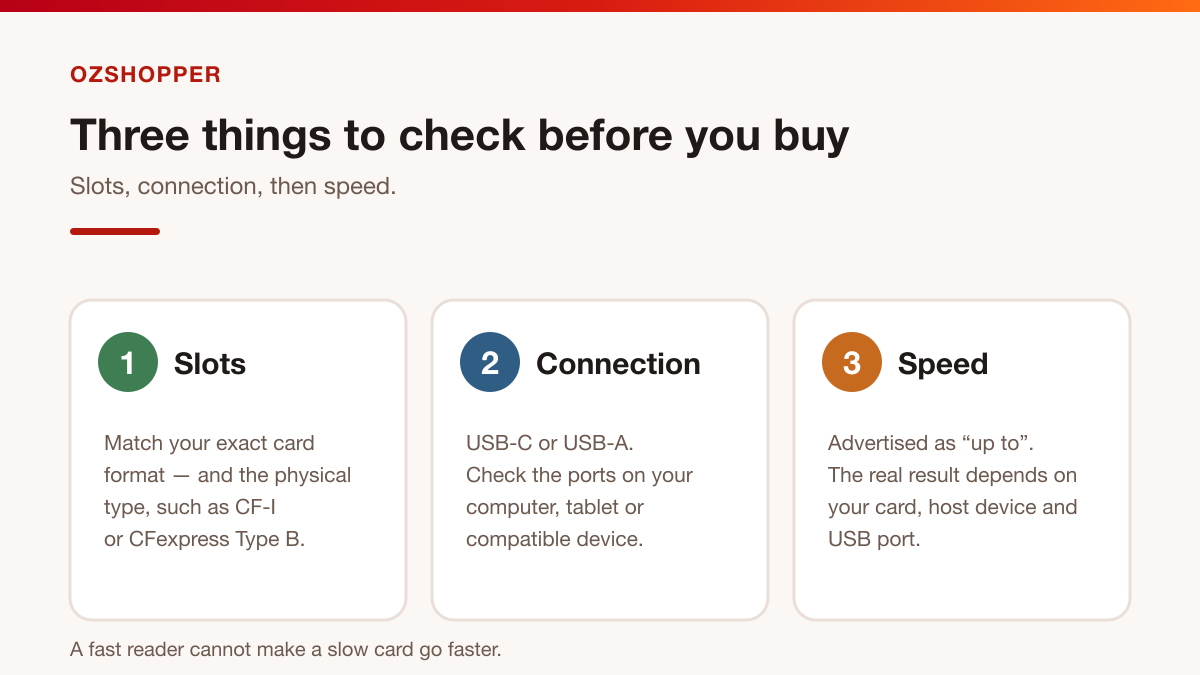
Start with the card, not the reader
Card formats can look similar, but they are not interchangeable. Check the label printed on the card itself.
- SD, SDHC and SDXC (and microSD): the everyday formats found in most cameras, drones, action cameras and phones. Small, rectangular and widely supported.
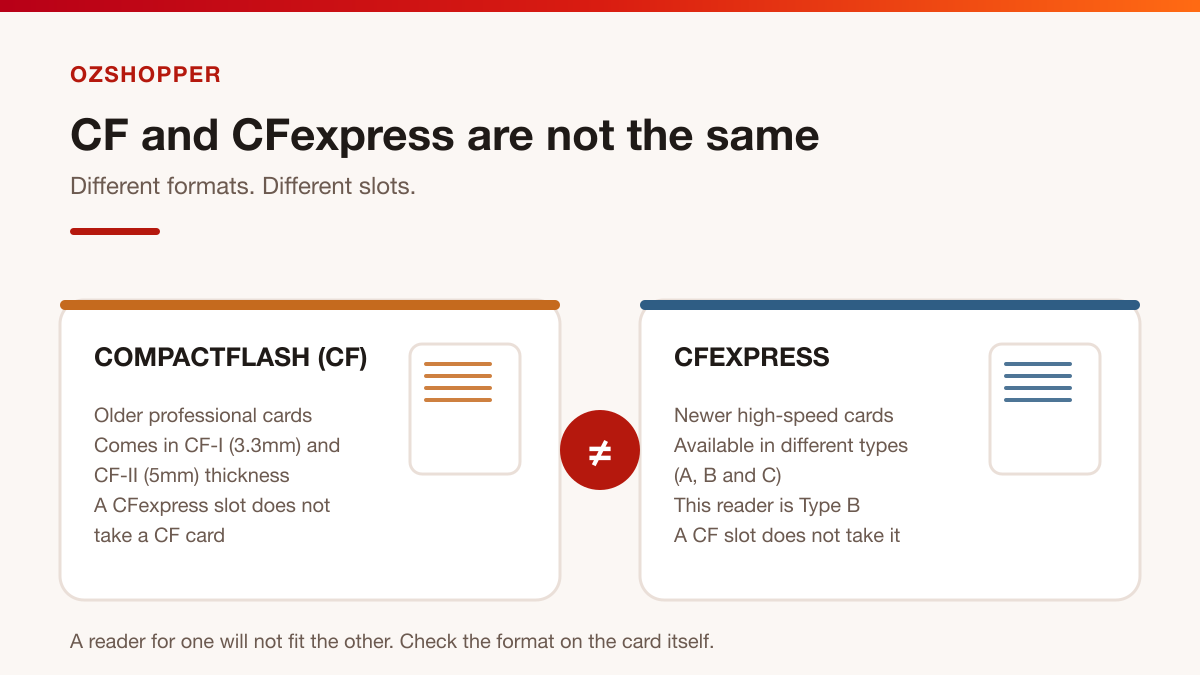
- CompactFlash (CF): an older professional format still used in some dSLRs. It comes in two thicknesses — CF-I at 3.3mm and CF-II at 5mm — and the slot has to match.
- CFexpress: a newer, high-speed format used in current mirrorless and cinema cameras. It comes in different types (A, B and C), which are not the same size or shape.
- Also around: XD and Memory Stick, mostly on older cameras.
CF and CFexpress are not the same
This is the mix-up that leads to returns. CompactFlash (CF) and CFexpress share a similar name, but they are different formats with different connectors. A CFexpress card will not fit a CF slot, and a CF card will not fit a CFexpress slot.
CFexpress also comes in types. A Type B reader suits Type B cards only — it will not read Type A or Type C. Always match the exact type, not just the family name.
Match the reader’s slots to your card
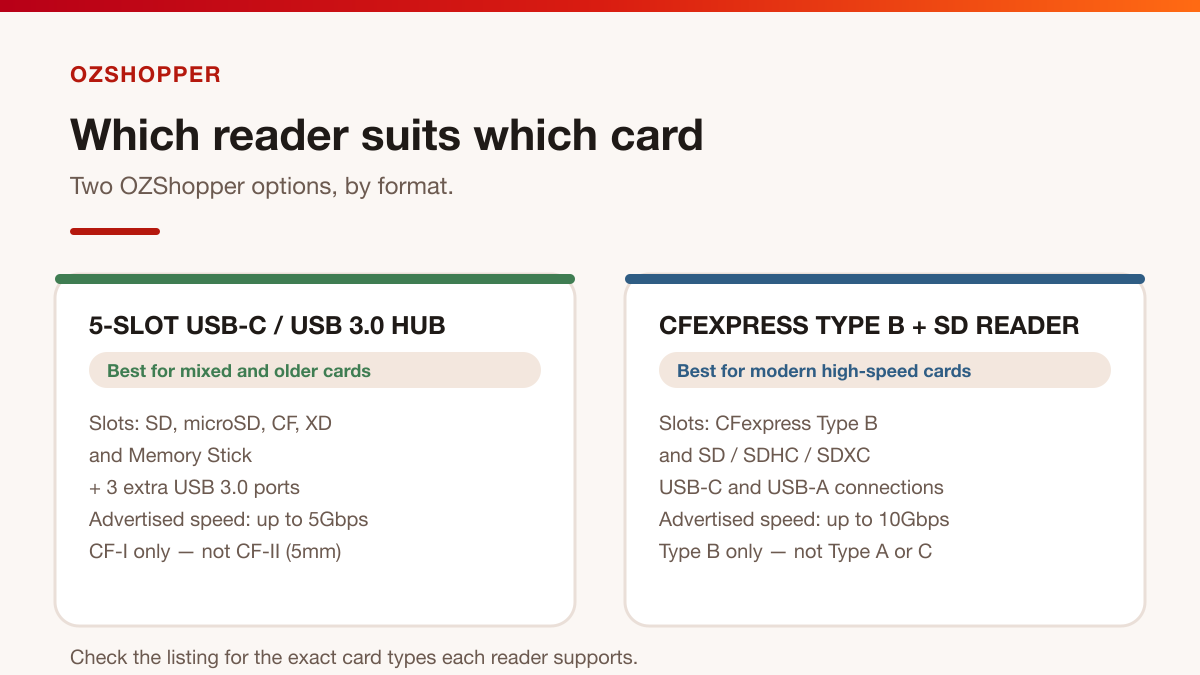
Once you know your card, read the reader’s slot list carefully. Two OZShopper options cover quite different needs:
- A multi-slot USB-C / USB 3.0 hub with five card slots (SD, microSD, CF, XD and Memory Stick), three extra USB 3.0 ports and a 40cm cable. Its CF slot is designed for CF-I cards (3.3mm) and does not support CF-II (5mm), so check your CF card’s thickness.
- A CFexpress Type B + SD reader built around CFexpress Type B and SD (SDXC, SDHC and SD). It suits modern high-speed cards rather than older CF, XD or Memory Stick.
Both listings state support for card capacities up to 2TB.
Check how it connects to your computer
Connection is the next filter. USB-C and USB-A are physically different, so match the reader to the port you have.
- The multi-slot hub connects over USB-C or USB-A.
- The CFexpress reader includes both a USB-C to USB-C cable and a USB-C to USB-A cable, and is listed as backward compatible with USB 3.0 and 2.0 at reduced speed.
Understand transfer-speed limits
Advertised speeds are “up to” figures, not a guarantee. The multi-slot hub is advertised at up to 5Gbps, while the CFexpress reader is advertised at up to 10Gbps over USB 3.2 Gen 2.
Real-world results depend on the card, the host device and the USB port — the CFexpress listing states this directly. A 10Gbps reader will not make a slow card faster, and a fast card is held back by an older USB 2.0 port.
Comparison at a glance
| Feature | 5-slot USB-C / USB 3.0 hub | CFexpress Type B + SD reader |
|---|---|---|
| Best for | Mixed and older cards | Modern high-speed cards |
| Card slots | SD, microSD, CF, XD, Memory Stick | CFexpress Type B; SD / SDHC / SDXC |
| Extra ports | 3 × USB 3.0 | None listed |
| Connection | USB-C and USB-A | USB-C and USB-A (two cables included) |
| Advertised speed | Up to 5Gbps | Up to 10Gbps |
| Capacity listed | Up to 2TB | Up to 2TB |
| Watch out for | CF-I (3.3mm) only, not CF-II (5mm) | Type B only; SD is read by default when both slots are used |
Before you buy: a quick checklist
- Identify your card’s format and, for CF, its thickness (CF-I 3.3mm or CF-II 5mm).
- For CFexpress, confirm the type — the dual-slot reader is Type B.
- Match the reader’s slot list to your card exactly.
- Confirm the connection you need: USB-C, USB-A, or a cable in the box.
- Treat speed as “up to” and compare it with your card and your computer’s port.
- Decide whether you want extra USB ports (the five-slot hub adds three).
- Check the listed operating-system compatibility and capacity support.
- If you plan to offload two cards at once, read the listing notes first — behaviour can vary.
Frequently asked questions
Can a CFexpress reader read my old CF cards?
No. CompactFlash and CFexpress are different formats, and a CFexpress Type B slot will not take a CF card. If you still shoot CF, choose a reader with a CF slot — the multi-slot hub lists a CF slot for CF-I cards.
Which reader suits a mix of SD and older cards?
The five-slot hub, because it covers SD, microSD, CF, XD and Memory Stick in one unit. If you mainly shoot modern CFexpress Type B and SD, the dual-slot reader is the more targeted choice.
Will I always get the advertised 10Gbps?
Not necessarily. Advertised speeds are maximums, and the actual result depends on the card, the host device and the USB port. Treat every speed figure as “up to”.
The short version
Find the format on the card, match it to the reader’s slots, confirm the connection, and treat speed as “up to”. CF and CFexpress are different formats — never assume one reader covers both.